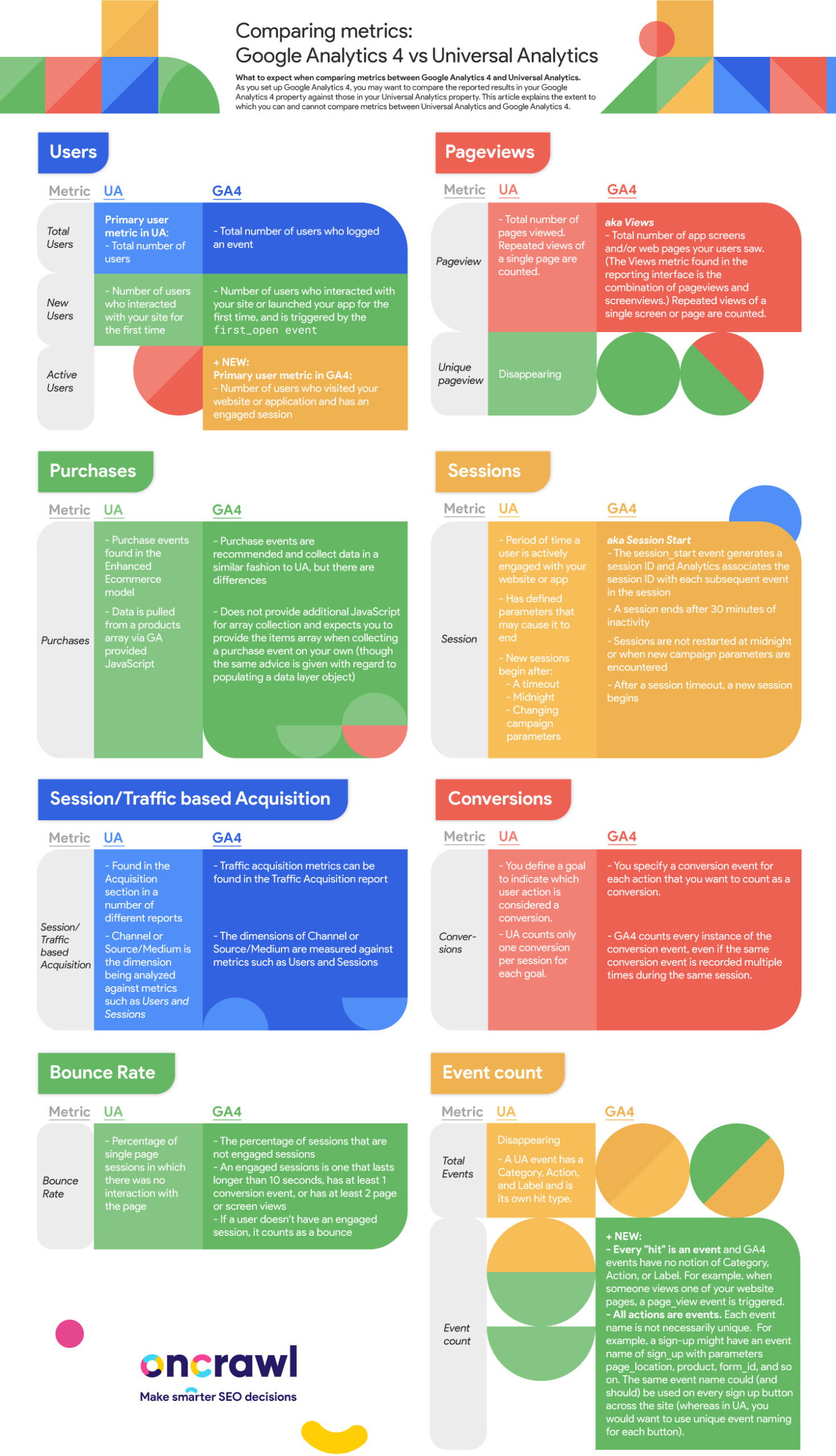
The deadline to implement Google Analytics 4 is quickly approaching. If your website relies on year-over-year data to measure performance and you plan on setting up GA4, you’ll need to do so before July 1, 2022.
However, there may be some changes and updates you should be aware of before making the switch. This article explains which metrics are comparable between GA4 and Universal Analytics based on Google’s support.
Comparing metrics: Google Analytics 4 vs Universal Analytics
What to expect when comparing metrics between Google Analytics 4 and Universal Analytics. As you set up Google Analytics 4, you may want to compare the reported results in your Google Analytics 4 property against those in your Universal Analytics property. This article explains the extent to which you can and cannot compare metrics between Universal Analytics and Google Analytics 4.
Users
Metric
UA
GA4
Total user
Primary user metric in UA
Total number of users
Total number of users who logged an event
New users
Number of users who interacted with your site for the first time
Number of users who interacted with your site or launched your app for the first time, and is triggered by the first_open event
Active users
+ New
Primary user metric in GA4
Number of users who visited your website or application and has an engaged session
Pageviews
Metric
UA
GA4
Pageview
Total number of pages viewed. Repeated views of a single page are counted.
aka Views
Total number of app screens and/or web pages your users saw. (The Views metric found in the reporting interface is the combination of pageviews and screenviews.) Repeated views of a single screen or page are counted.
Unique Pageview
Disappearing
Purchases
Metric
UA
GA4
Purchases
Purchase events found in the Enhanced Ecommerce model
Data is pulled from a products array via GA provided JavaScript
Purchase events are recommended and collect data in a similar fashion to UA
Does not provide additional JavaScript for array collection and expects you to provide the items array when collecting a purchase event on your own
Sessions
Metric
UA
GA4
Session
Period of time a user is actively engaged with your website or app
Has defined parameters that may cause it to end
New sessions begin after:
A timeout
Midnight
Changing campaign parameters
aka Session Start
The session_start event generates a session ID and Analytics associates the session ID with each subsequent event in the session
A session ends after 30 minutes of inactivity
Sessions are not restarted at midnight or when new campaign parameters are encountered
After a session timeout, a new session begins
Session/Traffic based acquisition
Metric
UA
GA4
Session/Traffic based acquisition
Found in the Acquisition section in a number of different reports
Channel or Source/Medium are analyzed against metrics like Users and Sessions
Traffic acquisition metrics can be found in the Traffic Acquisition report
The dimensions of Channel or Source/Medium are measured against the same metrics as before
Conversions
Metric
UA
GA4
Conversions
You define a goal to indicate which user action is considered a conversion.
UA counts only one conversion per session for each goal.
You specify a conversion event for each action that you want to count as a conversion.
GA4 counts every instance of the conversion event, even if the same conversion event is recorded multiple times during the same session.
Bounce Rate
Metric
UA
GA4
Bounce Rate
Percentage of single page sessions in which there was no interaction with the page
The percentage of sessions that are not engaged sessions
An engaged sessions is one that lasts longer than 10 seconds, has at least 1 conversion event, or has at least 2 page or screen views
If a user doesn’t have an engaged session, it counts as a bounce
Event count
Metric
UA
GA4
Total Events
Disappearing
A UA event has a Category, Action, and Label and is its own hit type.
Event count
+ New
Every “hit” is an event and GA4 events have no notion of Category, Action, or Label. For example, when someone views one of your website pages, a page_view event is triggered.
All actions are events. Each event name is not necessarily unique. For example, a sign-up might have an event name of sign_up with parameters page_location, product, form_id, and so on. The same event name could (and should) be used on every sign up button across the site (whereas in UA, you would want to use unique event naming for each button).